Designing Speed and Simplicity in the RTN LAI 5 Interface
LAI 5 reduces clicks, removes screen clutter, and speeds up daily lottery tasks. See how its simple interface helps stores work faster with less effort.
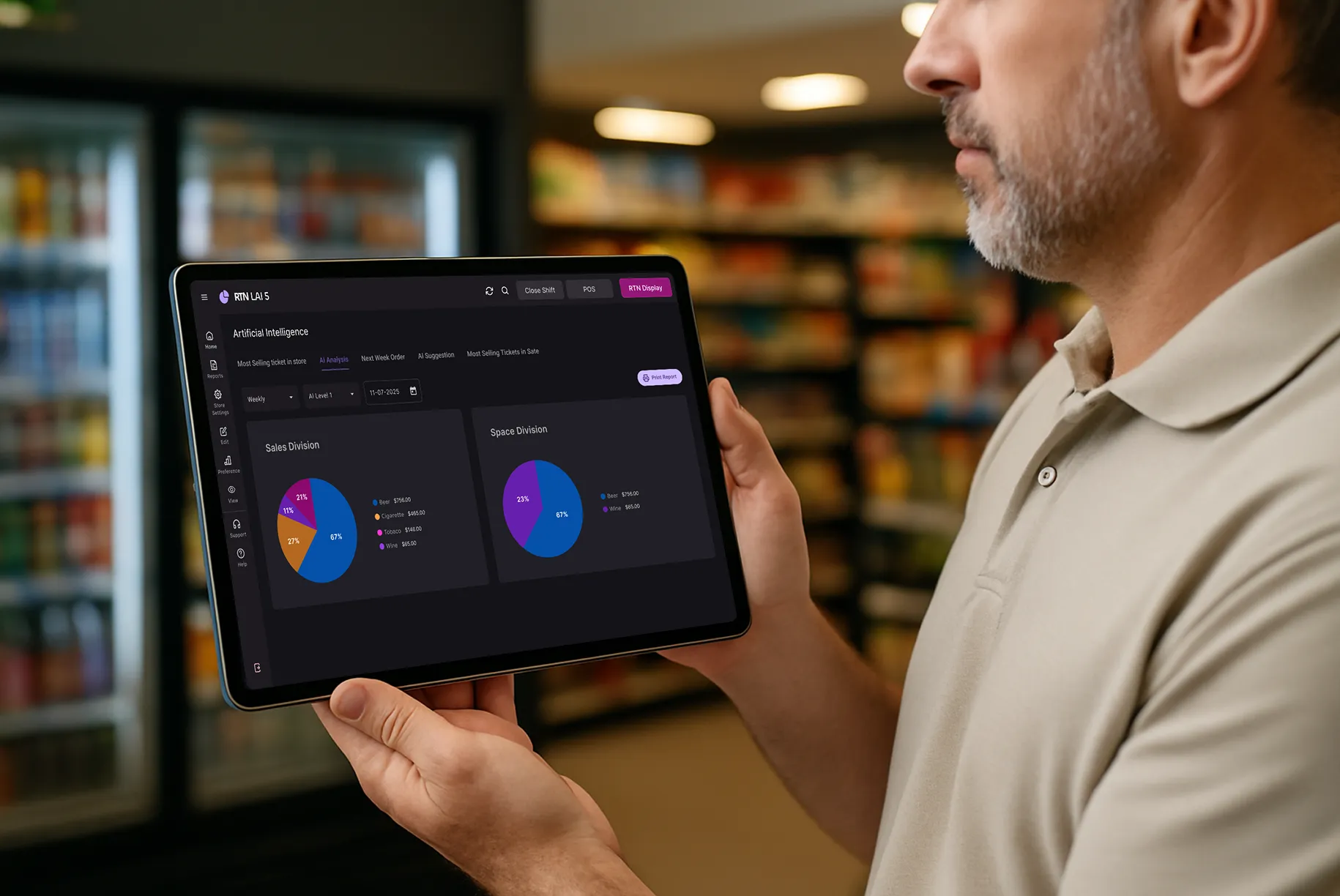
Your register software should not slow you down. You should not think about it while working. It should just help you finish tasks fast. Many lottery systems fail at this. They add extra clicks, crowded screens, and too many choices.
LAI 5 was rebuilt to fix that. Every screen was redesigned with one goal: help you move faster with less effort during real store hours.
Remove What You Don’t Need
The first rule was simple. Take away anything that does not help you finish a task.
Older versions showed too much at once. Tabs, buttons, colors, and fields competed for attention. LAI 5 removes that noise.
We eliminated:
- Decorative borders
- Cluttered button clusters
- Unnecessary color contrast
- Tight spacing
- Extra screen elements
What remains is clean and focused. Fewer choices reduce hesitation. Cleaner screens reduce mental strain during long shifts.
One Action Panel. Every Screen.
Older lottery tracking software placed actions in different corners. Updating inventory was in one spot. Returns in another. Payouts somewhere else.
That forced you to search before acting.
LAI 5 fixes this with a fixed vertical sidebar:
- All actions live in one place
- The panel stays consistent across screens
- Tasks are grouped logically
- Important actions sit within easy reach
After a short time, your hand remembers where to click. Less searching means faster work.
Tables Built for Fast Scanning
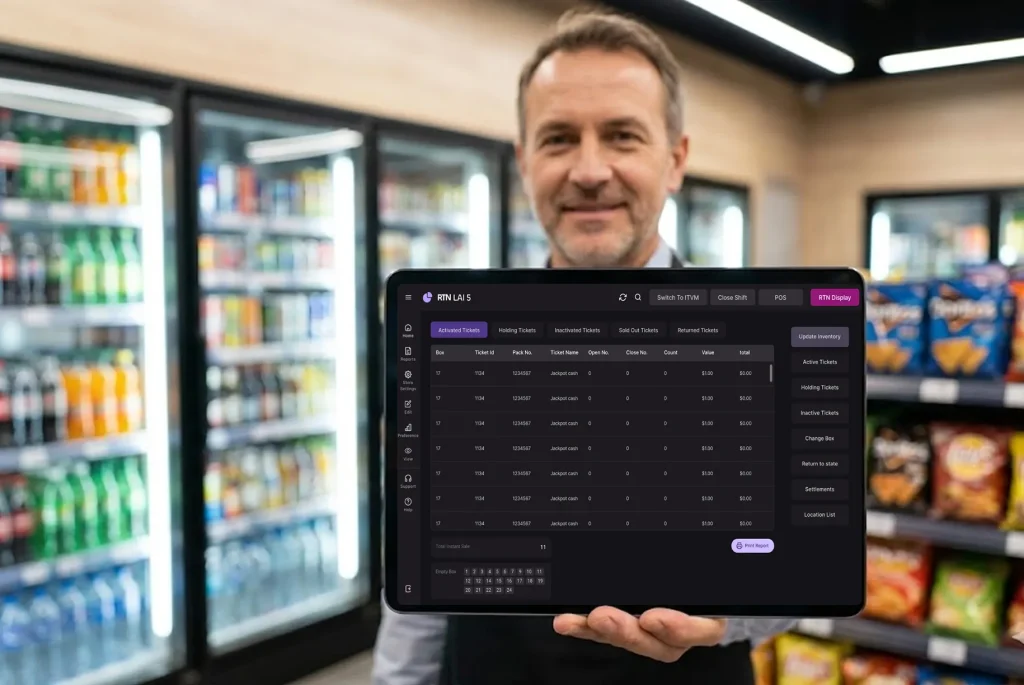
You manage dozens or hundreds of tickets daily. Tight tables slow you down.
LAI 5 tables are spaced for clarity:
- Wider columns
- Clear header separation
- Aligned numbers
- Comfortable row height
- Extra breathing room
Your eyes move quicker across rows. Finding a ticket takes seconds. Fewer errors happen during rush hours.
Forms That Feel Simple
Old inventory popups showed too many fields at once. That made data entry heavy and slow.
LAI 5 forms now show only what matters.
| Old Version | LAI 5 |
|---|---|
| All fields visible | Only required fields shown |
| Dense layout | Logical top-to-bottom flow |
| Hard to scan | Clean and centered |
| Slower entry | Faster completion |
Each form guides you step by step. Closing procedures become smoother.
Dark Mode for Long Shifts
Bright screens cause strain, especially at night.
RTN LAI 5 includes a dedicated dark mode built for real store lighting.
Benefits include:
- Less eye fatigue
- Reduced glare
- Better visibility in dim stores
- More comfort during closing counts
Small design changes make a big difference after eight hours on your feet.
Clear Ticket States
Tickets move through stages. Active. Sold. Returned. Inactive.
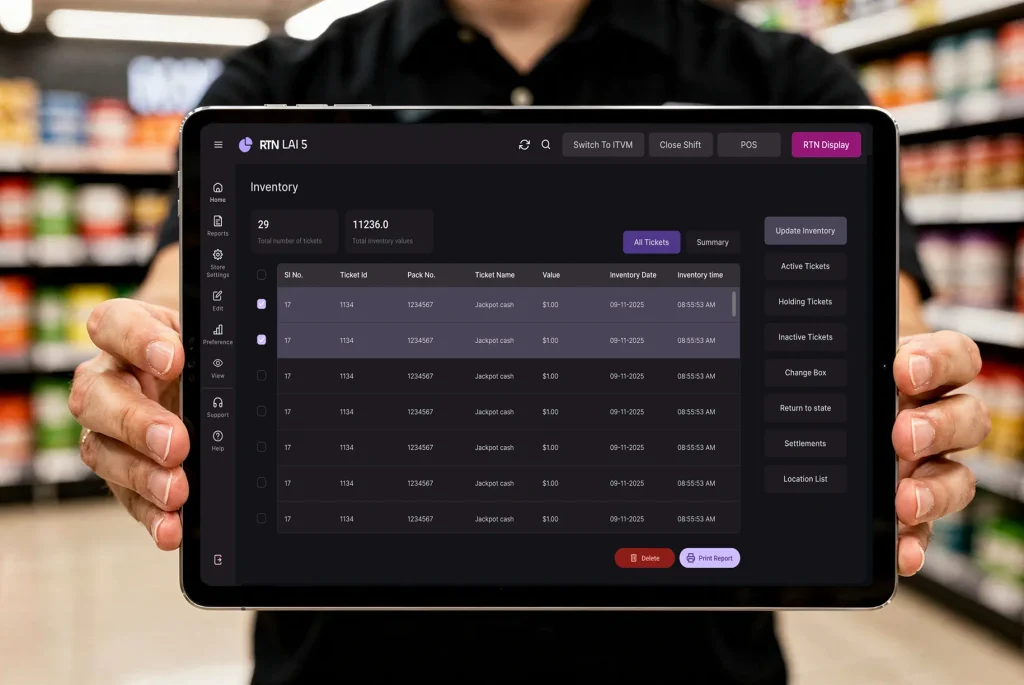
Older layouts buried these inside menus. LAI 5 places them in clear top tabs:
- Active tickets
- Holding tickets
- Inactive tickets
- Sold out tickets
- Returned tickets
No hidden menus. New staff can learn the system faster.
Fewer Clicks, Faster Work
We measured common daily tasks and reduced the steps.
| Task | Previous Clicks | LAI 5 Clicks |
|---|---|---|
| Update inventory | 6 | 3 |
| Check ticket status | 4 | 2 |
| Process return | 5 | 3 |
| View sales data | 3 | 2 |
Saving two or three clicks may seem small. During peak hours, those seconds add up.
The 3-Step Design Method
Every screen followed the same process:
- Strip down – Remove anything that does not serve the task.
- Organize – Group actions by logic and frequency.
- Test – Watch real store owners use it and fix friction.
This cycle repeated multiple times before launch. Each round made the system lighter and clearer.
Built for Real Store Conditions
LAI 5 was shaped around actual store routines:
- Busy morning lines
- Midday inventory checks
- Late-night reconciliation
- Weekend rush periods
High-contrast text stays readable in bright light. Fast loading supports peak traffic. The system adapts to your schedule, not the other way around.
The Result: Software That Stays Out of the Way
Good design feels invisible. You focus on customers, not menus. You move through tasks without stopping to think.
LAI 5 centers on:
- Faster ticket processing
- Clear inventory visibility
- Smooth transactions
- Easier end-of-day closing
The goal is simple. Help you work faster without adding stress.
If you want to see the difference in your store, try LAI 5 during your next closing shift. Turn on dark mode. Use the sidebar. Notice how quickly your team adapts.