Lottery Management System for Efficient Retail Operations
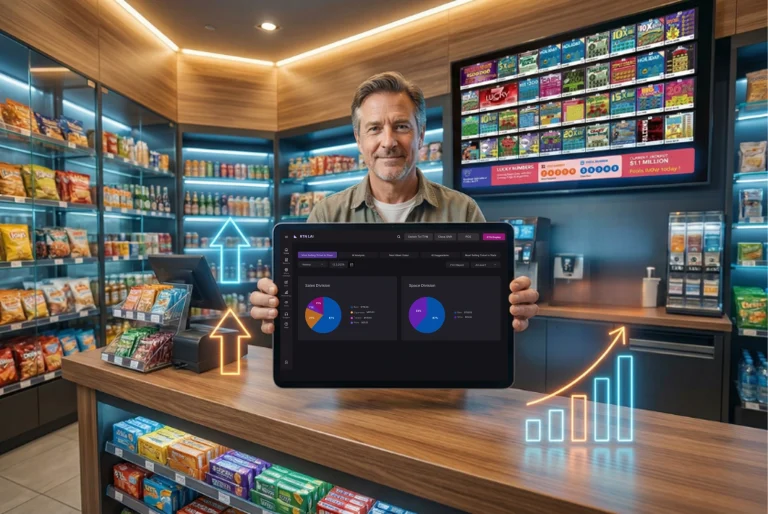
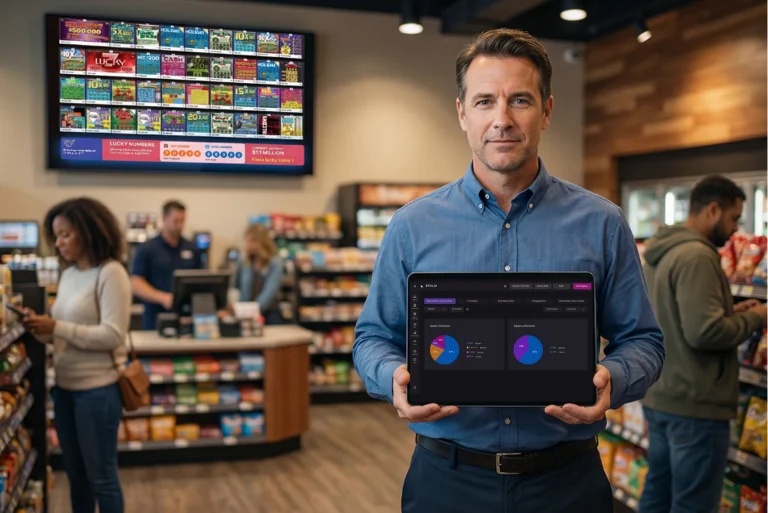
RTN LAI 5 is a comprehensive lottery management system that provides retailers with instant control over ticket inventory, reduces mistakes, and streamlines shift workflows by presenting real-time data in a single dashboard, enabling staff to focus on customer service and drive higher sales with a lottery management system.

The RTN LAI 5 Lottery Management system spots problems before they slow down the store, with live alerts highlighting low inventory or delayed updates, allowing staff to correct issues during a shift and preventing small hiccups from becoming costly errors in lottery management.
During a busy shift, small problems can build up quickly. A ticket book may be close to selling out. Inventory might sit in the wrong category. Staff may spend extra time searching through screens just to update one detail.
The RTN LAI 5 lottery management system is designed to reduce operational friction points by showing clear information and guiding staff through routine tasks, presenting key inventory tracking data in a way that helps store teams act quickly and avoid small mistakes that add up over long shifts.
The Problem Many Store Owners Face With a Lottery Management System
Lottery counters move fast. Tickets sell quickly, and staff often manage several tasks at once.
At the same time, store owners still need to keep track of:
- ticket inventory
- book status
- sales values
- returns and updates
Older systems often require extra steps to locate this information, which slows down daily work and increases the chance of errors, highlighting the need for an efficient and effective lottery management system.
RTN LAI 5 focuses on making ticket inventory information easier to see and easier to act on, which is crucial for an effective lottery management system.
How Predictive Intelligence in a Lottery Management System Reduces Errors
Predictive intelligence inside RTN LAI 5 lottery management system works through clear data presentation and guided actions, helping store teams notice important details quickly and manage ticket inventory with confidence using a lottery management system.
Key improvements include:
- Smart inventory visibility. The new data grid clearly displays ticket status: Active, Holding, Inactive, Sold Out, or Returned.
- Action-focused layout, where a structured sidebar keeps common actions visible and easy to access.
- Shorter workflows, meaning routine updates require fewer clicks, which saves time during busy hours.
- Modal-based updates, allowing inventory changes to open in focused forms, reducing input mistakes and repeated entries.
These changes allow staff to manage information faster without searching through complex menus, making the lottery management system more efficient and reducing operational errors in retail operations.
How RTN LAI 5 Supports a Typical Store Shift
Store teams often repeat the same set of tasks throughout the day. RTN LAI 5 organizes these tasks into a clear workflow.
Step 1: Scan
Open the data grid to review ticket status and values. Key details appear in structured columns so staff can understand inventory at a glance.
Step 2: Act
When an update is needed, the sidebar provides quick access to the correct action. Inventory updates open in a modal window with clear fields and logical order.
Step 3: Continue
Once the update is completed, staff return directly to the main screen and move on to the next task without switching between multiple views.
This simple flow helps reduce interruptions during busy periods, improving the overall efficiency of the lottery management system.
Built for Long Shifts
Lottery retailers often work long hours. Systems that require constant searching or repeated steps can become tiring over time.
RTN LAI 5 improves this experience by organizing information in a calmer layout, reducing eye strain and improving overall user experience during long shifts.
| Older Interface | RTN LAI 5 |
|---|---|
| Buttons spread across screens | Action panel grouped on the right |
| Dense tables with crowded rows | Clear columns and spacing |
| Heavy pop-ups for updates | Focused modal forms |
| Competing visual elements | Structured visual hierarchy |
| One display style | Built-in Dark and Light Mode |
With clearer screens, store teams spend less effort interpreting data and more time completing tasks.
Visibility That Helps Stores Stay Organized
Inventory management becomes easier when information appears clearly and consistently.
The RTN LAI 5 grid is designed to help staff monitor ticket movement and financial values without extra effort.
The system provides:
- clearly labeled financial columns
- visible action points for updates
- organized ticket grouping by status
- stable performance even with large ticket volumes
This structure helps retailers track inventory confidently with a lottery management system, reflecting what effective lottery tracking software should provide: easy-to-read and easy-to-manage information during daily store operations.
Dark Mode and Light Mode for Different Work Environments
Retail environments change throughout the day. Lighting conditions during a daytime shift can be very different from late-night hours.
RTN LAI 5 allows teams to switch between two display modes.
- Light Mode supports bright environments and daytime visibility.
- Dark Mode reduces glare and can be easier on the eyes during evening shifts.
- Quick switching allows staff to change modes instantly without interrupting their work.
Small adjustments like this help make the system comfortable for long periods of use.
A System Designed for Everyday Store Work
RTN LAI 5 focuses on making lottery operations easier to manage through clear information and structured workflows, reducing the likelihood of errors and improving overall retail efficiency.
When inventory data appears clearly and actions are easy to access, store teams can:
- notice inventory changes sooner
- update records without delays
- reduce small mistakes during busy shifts
Clear layouts and predictable workflows help store teams manage lottery operations with less effort using a lottery management system.
Learn More About RTN LAI 5
Retailers who want to understand how the interface works in daily store operations can review the RTN LAI 5 feature overview or request a product walkthrough from the RTN team.
Frequently asked questions
What is a Lottery Management system?
A Lottery Management system is software designed for retail stores to track ticket inventory, manage book statuses, monitor sales values, and reduce operational errors during daily shifts with clear data visibility.
How does RTN LAI 5 reduce store errors?
RTN LAI 5 reduces store errors by providing structured data grids, action-focused sidebars, and short workflows that guide staff through routine updates without complex menu navigation.
Can staff track ticket statuses easily?
Staff can track ticket statuses easily using a clear data grid that labels items as Active, Holding, Inactive, Sold Out, or Returned for quick identification.
Why is inventory visibility important for retailers?
Inventory visibility is important because it allows retailers to monitor ticket movement, track financial values accurately, and maintain smooth operations during busy retail shifts.
How do display modes help store employees?
Display modes like Light Mode and Dark Mode help store employees reduce glare, maintain comfortable viewing conditions, and adapt easily to changing lighting throughout long shifts.
Written by the RTN Display team
Written by the RTN Display team. Last updated March 30, 2025. Contact RTN for support or product inquiries.
Written by the RTN Display team. Last updated March 30, 2025. Contact RTN for support or product inquiries.
The RTN LAI 5 lottery management system is designed to support long shifts and reduce operational errors, providing a clear and organized interface for staff to manage ticket inventory and track sales values.
For more information on how RTN LAI 5 can improve retail efficiency, contact the RTN team or request a product walkthrough.
For more information on how RTN LAI 5 can improve retail efficiency, contact the RTN team or request a product walkthrough.
Last updated April 1, 2024.
To learn more about how RTN LAI 5 can improve your retail efficiency, contact the RTN team or request a product walkthrough. Our team is available to answer any questions you may have about our lottery management system.
Last updated April 15, 2024.