LAI 5 vs LAI 4: What’s New in the Latest Version
LAI 5 vs LAI 4: see what changed—dark mode, faster navigation, and clearer ticket views. Track lottery inventory with fewer taps and keep daily store work on pace.
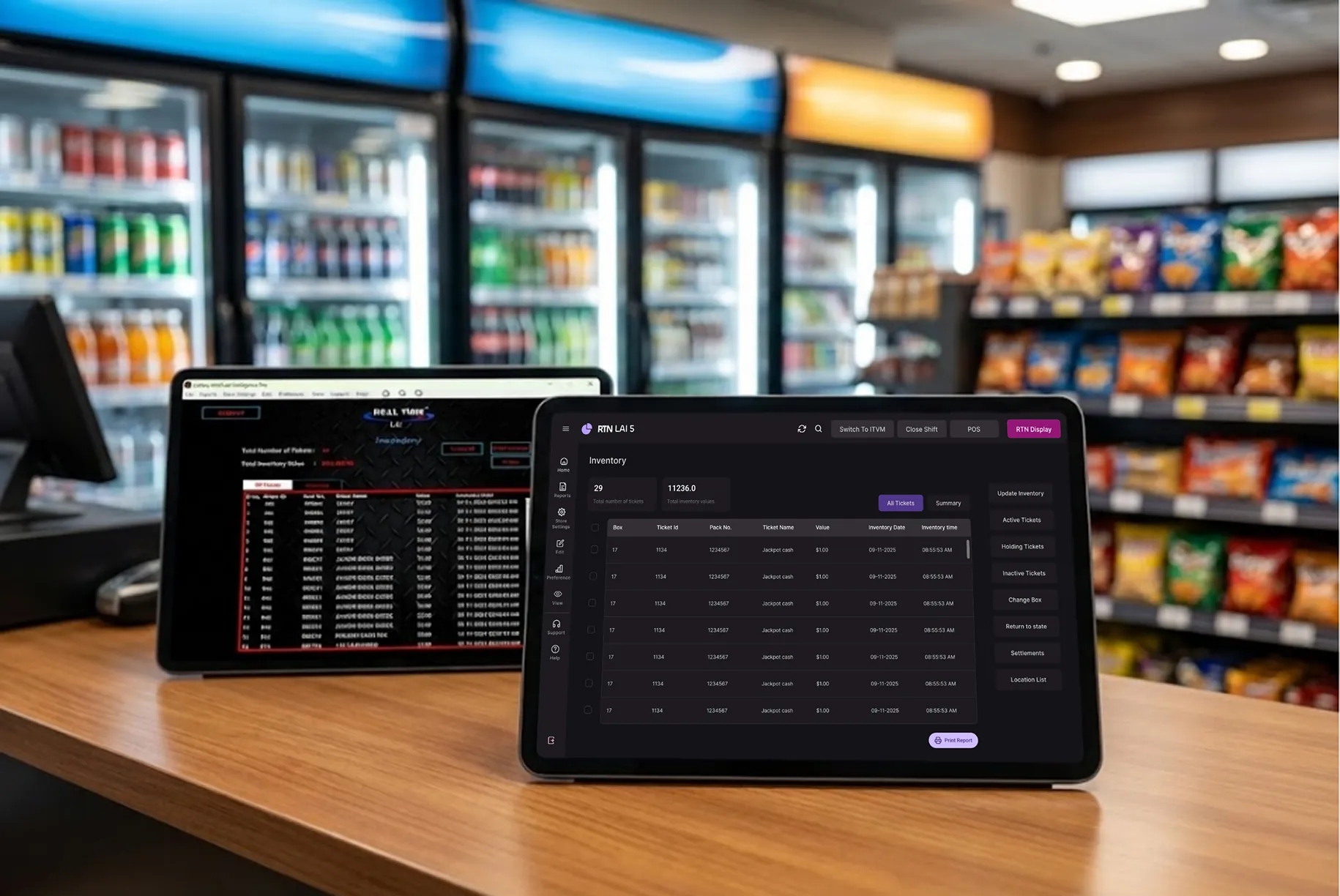
Running a lottery store means long hours at the counter. Your screen is your main tool. If it feels slow or crowded, your whole shift feels harder.
LAI 5 was rebuilt to fix that. Not small tweaks. A full redesign focused on how lottery retailers actually work.
Here’s what changed and what it means for your store.
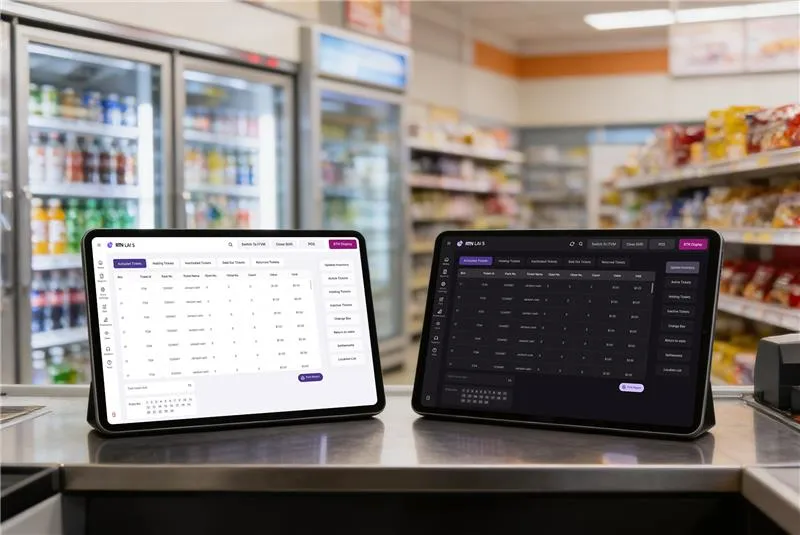
Dark Mode + Light Mode: Work Your Way
LAI 4 gave you one screen style. Bright. All day.
LAI 5 gives you two options: dark and light.
Why this matters during real shifts:
- Less eye strain during night hours
- Better visibility in strong daylight
- Clear contrast for reading ticket numbers fast
- Easy switching without restarting anything
Closing shift? Dark mode feels easier on your eyes. Morning rush? Light mode keeps things sharp. You decide based on your store lighting.
Small change. Big comfort difference over a 12-hour day.
A Clean Interface That Makes Sense
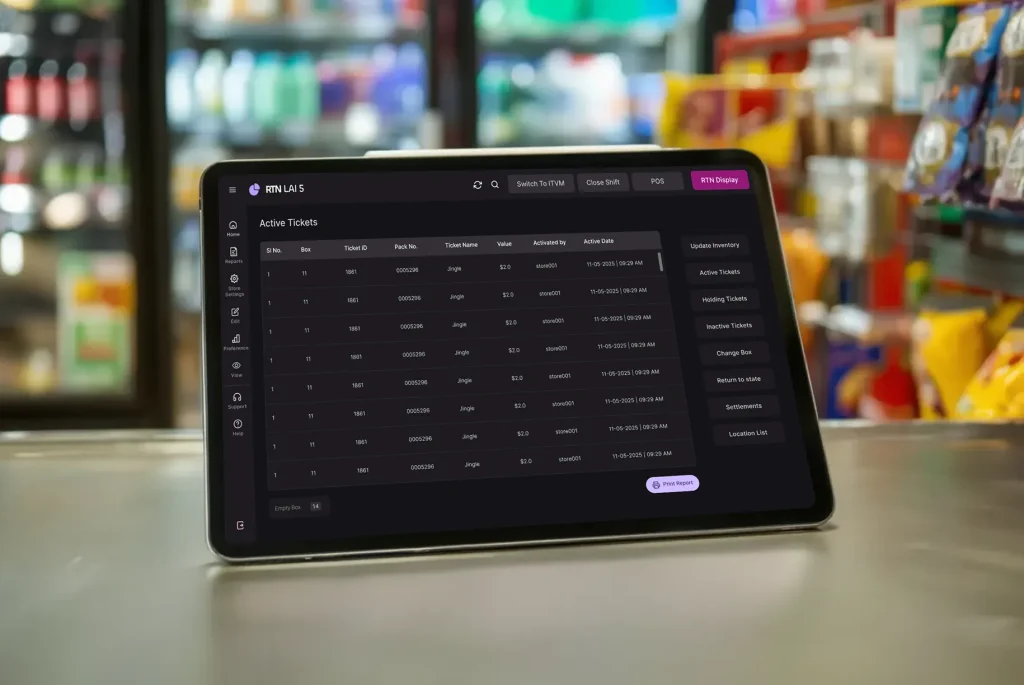
LAI 4 worked, but the screens felt busy. Buttons in many places. Tables packed tight.
LAI 5 removes that clutter.
You’ll notice:
- A clean dashboard layout
- Better spacing between items
- Clear text that’s easy to scan
- Action buttons grouped properly
- A modern layout that looks organized
Nothing feels cramped. Nothing fights for attention. You open the system and know where to click.
Smarter Ticket Organization
Your tickets now sit in clear sections:
- Active
- Holding
- Inactive
- Sold Out
- Returned
Each tab shows only what belongs there.
Instead of scrolling through everything, you switch to the exact category you need. That saves time during rush hours.
Action buttons now live in one vertical panel. Inventory updates. Returns. Edits. All in the same place every time.
No guessing. No searching.
Faster During Busy Hours
Speed matters when customers line up.
LAI 4 handled small volumes well. But stores managing 40, 50, or more tickets felt slowdowns.
LAI 5 improves performance across the system:
- Faster screen loads
- Smoother section changes
- Fewer clicks to finish tasks
- Cleaner forms that open quickly
The difference shows up when you’re busy. You move between tickets without waiting for the system to catch up.
For stores that rely on steady ticket movement, this matters.
If you already use our lottery management software, the shift to LAI 5 feels immediate once you log in.
Data That’s Easier to Read
Old tables packed numbers too tightly. The columns felt crowded.
LAI 5 fixes the layout:
- Wider column spacing
- Clear headers
- Proper alignment of numbers
- Better visual separation
You can scan balances quickly. You can check inventory without double-checking each line.
When reviewing returns or tracking sold-out books, clarity reduces mistakes.
Built Around Real Workflow
The biggest difference is flow.
Before
- Buttons spread across screens
- Heavy popups with too many fields
- Extra visual noise
Now
- One structured sidebar for actions
- Clean forms with logical order
- Minimal visual distractions
Data entry feels quicker. Updates feel direct.
You spend less time figuring out the screen and more time handling customers.
A Quick Daily Scenario
Picture a busy Friday evening.
A customer asks about an active book. Another wants to return a ticket. A third is asking for payout details.
In LAI 4:
- You switch screens.
- You scan crowded tables.
- You search for the right action button.
In LAI 5:
- Click the correct tab.
- Select the ticket.
- Use the sidebar action.
Three steps. Clean and direct.
That rhythm continues all shifts.
What Changed at a Glance
| Feature | LAI 4 | LAI 5 |
|---|---|---|
| Theme Options | Light only | Dark + Light |
| Navigation | Buttons scattered | Structured sidebar |
| Data Tables | Tight spacing | Clean layout |
| Performance | Slows with volume | Stable and fast |
| Interface | Busy | Focused |
The Bottom Line
RTN LAI 5 isn’t about adding more features. It’s about removing friction.
Clearer screens. Faster movement. Less strain on your eyes. Better handling of high ticket counts.
When your software stays out of your way, your shift feels smoother.
Want to See How It Feels?
If you’re curious, log in and try switching between dark and light modes during different shifts.
Open a few ticket categories. Move between tabs. Update a book.
Notice the flow.
Small design changes add up across a long workday.